In the warehouse, the most expensive mistakes are usually simple: picking the wrong item, the wrong quantity, or shipping to the wrong customer. Odoo ERP answers this with a Pick → Pack → Delivery flow combined with Barcode, so every item is verified by scanning — no more relying on memory or paper.
1. Warehouse Problems: Wrong Picking, Wrong Shipping, and Stock Variance
Many warehouses still rely on printed picking lists and manual entry. The problems repeat:
- Wrong picking — similar SKUs get swapped, especially with long product names or look-alike packaging.
- Wrong quantity — a gap between what was requested and what was picked, only discovered when the customer complains.
- Wrong shipping — packages swapped between orders or customers.
- Stock variance — system records do not match the physical stock, triggering repeated stock takes.
The root cause is not people, but a process without verification. Barcodes close this gap by ensuring the item, location, and quantity are verified at the point of the transaction.
2. How Barcode Works in Odoo Inventory
Odoo provides the Barcode app (open it at /barcode or via Inventory → Barcode). The concept is simple: every physical object has a barcode, and every scan is a confirmation.
- Scan the document (transfer/picking) — determines which operation is being worked on.
- Scan the location — ensures staff are at the right rack.
- Scan the product — increases the quantity automatically; serial/lot products ask for the serial/lot number.
- Scan the package — ties the goods to a shipment package.
- Validate — completes the step and moves the stock to the next location.
All scan results are recorded immediately as stock moves in Odoo, keeping accuracy and traceability intact.
3. The Process Flow: Picking → Packing → Delivery
By enabling Multi-Step Routes and setting the warehouse to Send goods in 3 steps (Pick + Pack + Ship), Odoo creates three sequential operations:
Stock  →  Pick  →  Pack (Output)  →  Delivery (Customers)

PICK  : pick from the storage location
PACK  : verify & put into a package
OUT : hand over to the customer / courier- Picking — take the goods from the storage location to the Packing Zone.
- Packing — verify the contents, arrange them into a package.
- Delivery — validate the hand-over to the courier or customer.
Because each step is separate, responsibilities are clear and mistakes are easier to trace back to their stage.
4. Operational Example: From Sales Order to Shipped Goods
- The customer orders → a confirmed Sales Order is created.
- Odoo generates a Delivery Order (and, in the 3-step flow, automatically creates PICK then PACK).
- Staff pick: scan the document, scan the location, scan the product, then Validate — stock moves to the packing area.
- Staff pack: scan, verify, put into a package, print the package label, then Validate.
- Staff deliver: scan the package, enter the tracking number if needed, then Validate — shipment complete.
- The order status updates automatically; stock and accounting entries follow.
The full trail — who, when, at which location — is stored and auditable.
5. The Role of Product, Location, and Package Barcodes
- Product barcode — use the factory barcode (EAN/UPC) or generate one from Odoo and print it.
- Location barcode — every rack/bin has its own barcode; sticking location labels makes picking far faster and more accurate.
- Package barcode — a unique package number for multi-carton shipments; the package label eases the delivery step and tracking.
Together, the three ensure no step is "done blindly" — everything is verified.
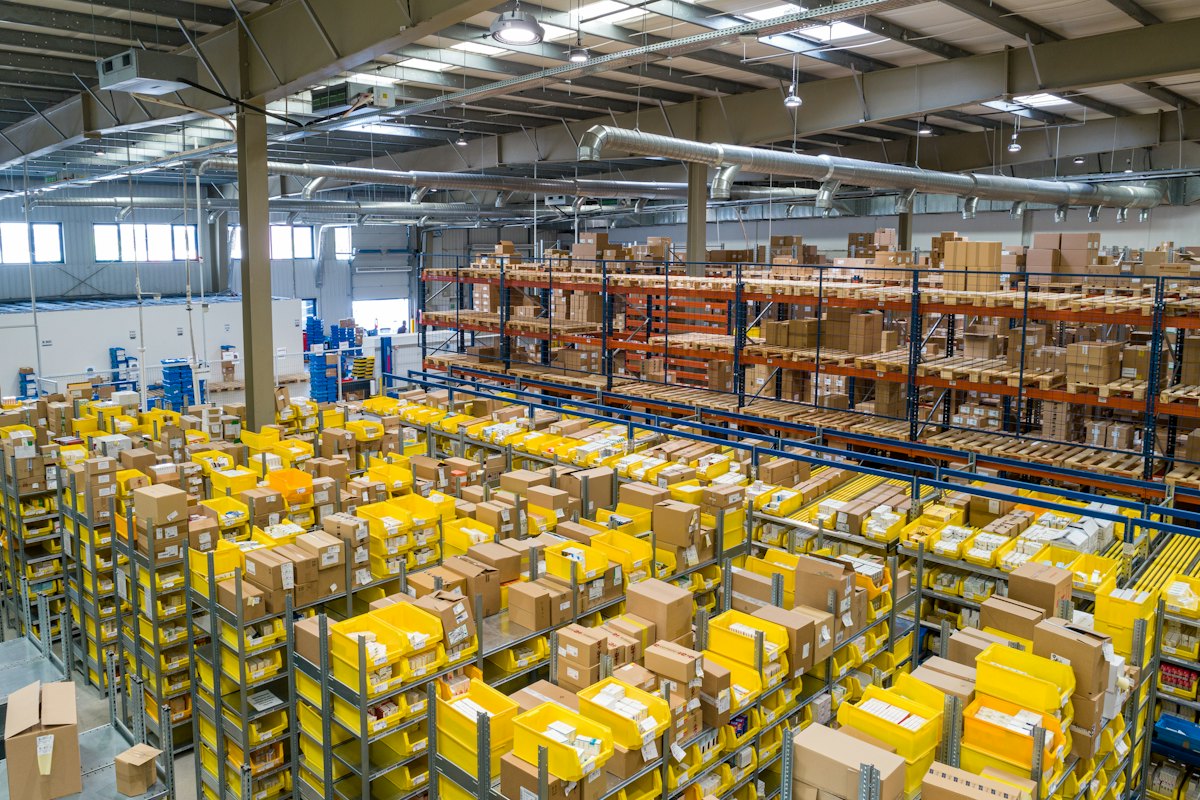
6. Print the Picking List & Attach It to the Package
A practice that helps a lot on the warehouse floor: print the picking list / packing list from Odoo and attach it to the package, paired with a package label that carries a barcode.
- Packing list contents — the list of goods in the package: products, quantities, serial/lot, and the package number.
- Package label — carries the package barcode (package number) that can be scanned.
- Attach to the package — the packing list and package label are stuck on a clearly visible surface.
The key: because each package has its own package barcode, at the Delivery step staff simply scan the package barcode — Odoo immediately shows the package contents (goods and quantities) without opening the package or hunting for documents. One scan = you know the package contents.
Benefits:
- Faster hand-over — ideal when loading to the courier, just scan the package.
- Fewer mis-hand-overs — the package contents are read straight from the system, not from memory.
- Audit & traceability — the package can be traced back along with its contents.
- Consistent with the physical goods — the attached label keeps the package and its data always paired.
Tip: print the packing list from Odoo's built-in report (Packing List / Delivery Slip) and use a label printer for the package barcode. Make sure the package number stays unique per shipment.
7. Implementation, Scanner Devices, and What to Prepare
Devices: use a USB (HID) barcode scanner that types directly into Odoo's input fields, or a 2D scanner so the product barcode and serial/lot are read in one go. For mobility, a tablet/phone camera can also run the Barcode app.
What to prepare:
- Enable Storage Locations, Multi-Step Routes, Packages, and the Barcode app.
- Standardize location naming (e.g.
WH/Stock/A-01-01) and print their barcodes. - Fill/generate product barcodes; complete the UoM and tracking rules (serial/lot).
- Define the area layout for picking, packing, and delivery staging.
- Train staff with test data before go-live.
8. KPIs: Picking Accuracy, Shipping Errors, and Process Time
Once barcodes are running, measure the impact with these metrics:
- Picking accuracy — % of lines that are correct (product, location, quantity) without correction.
- Shipping errors — number of orders shipped incorrectly / returned per period.
- Process time — average time from picking to delivery (cycle time) per order.
- Stock variance — accuracy of stock take results (a common target is ≥ 98%).
- Backorders — number of shortages that must be fulfilled later.
These metrics help prove the ROI of barcoding while pointing to the next improvement area.
Closing
The Pick → Pack → Delivery flow with Barcode turns the warehouse outgoing process from a paper-dependent activity into a fast, verified, and recorded one. All the features are already available in Odoo ERP — what is needed is the right configuration, disciplined labeling, and consistent KPI measurement.
Want to implement the barcode pick-pack-delivery flow in your warehouse? Talk to the Sinergi Data Totalindo (SDT) Team.
Note: appearance and features may adapt to the Odoo version and implementation needs. Written by Sinergi Data Totalindo, PT.